9 minutes
First Openclaw Attempt
level setting
This blog post is going to be super sloppy. Human sloppy. I just felt like I should at least log something.
Okay fine, I have to try it
All my nerd feeds are talking about it… It’s super intriguing. The youtubers.. Naturally anybody that has a tech job in the US also needs to level up on AI as much as possible. So okay fine. I have to try it.
I’m cheap
I’ve been limping at home these days just fine using the Google Gemini plus that comes with my basic Google One account. It’s pretty good, but I have just been using the chat box. I also can run some local LLMs on my M3 macbook pro. That was fun last year… but a lot has changed.
Guardrails
I’ll deploy a VM on one of my more isolated VLANS and kind of go from there.
preflight
Naturally my VM tooling I’ve made in the past might need some attention. I’m going to install the gemini-cli client to help give me a boost with any preflight setup to assure I can live my values a bit.
installing gemini
Naturally i’m annoyed because it’s NPM based. Whatever..
brew install gemini-cli. Don’t forget to start a new terminal session
afterwards. I haven’t needed the cli so far… but let me assure you that the
normal chat session is helping me do my homework at a rapid pace. It took it a
bit to realize openclaw’s config format had changed, but corrected itself
quickly.
deploying VM
My existing scripts from my armlab naturally needed some very light refreshing. Okay I have a debian-13 VM provisioned now. It’s running on a VLAN I use for github runners, and has isolation similar to a guest network.
VM setup
Since I’m just testing, I installed a few basic things
PACKAGES="git curl jq podman-docker"
apt update && apt upgrade -y
apt install -y ${PACKAGES}
My hope was since podman-docker can run rootless, we could just give openclaw docker for it to extend its capabilities, and let it run in a standard user account.
Womp womp.. the lazy curl mysite | bash installer needs sudo.. I’ll try harder
later. It can have sudo for now.
Openclaw setup
As mentioned I lazy-bombed with the easy installer and just mashed buttons.
I skipped the model setup since it was unclear how to manage using local models.
As far as interacting with openclaw, i just used openclaw tui to start with
lmstudio
I really wanted to just try melting my macbook before melting my wallet. Unfortunately it only has 18GB of RAM.. but I tried anyway with some smaller models.
I updated my network firewall to permit traffic from Openclaw’s VLAN to the lmstudio server port on my macbook. In lmstudio, there wasn’t much work, just a flag, to tell the server to listen on the LAN instead of 127.0.0.1.
To get openclaw to talk to LMstudio. I ended up with a config like this
{
  "models": {
    "providers": {
      "lmstudio": {
        "baseUrl": "http://MACBOOK_IP:1234/v1",
        "apiKey": "lm-studio",
        "api": "openai-responses",
        "models": [
          {
            "id": "qwen/qwen3-4b-thinking-2507",
            "name": "qwen3",
            "reasoning": false,
            "input": ["text"],
            "cost": {
              "input": 0,
              "output": 0,
              "cacheRead": 0,
              "cacheWrite": 0
            },
            "contextWindow": 16000,
            "maxTokens": 4096
          }
        ]
      }
    }
  },
  "agents": {
    "defaults": {
      "model": {
        "primary": "lmstudio/qwen3"
      },
      "workspace": "/home/lane/.openclaw/workspace",
      "maxConcurrent": 4,
      "subagents": {
        "maxConcurrent": 8
      }
    }
  }
}
I tried different context window tweaks.. Openclaw requires min 16000. I enabled some experimental quantization setting on the server side to help compress, but ultimately after not much running… lmstudio’s server would just fall-over and unload the model. I’d get maybe 5 iterations for it would die. Maybe we’ll try this again later.
throwing money at it
Based on what I see on reddit, I’m probably not throwing enough money at it, but I’m going to try the synthetic.new $20/mo plan. I’m too afraid of getting burned on TOS, or other rate limiting to try the oauth with Gemini. I get too much value there now.
synthetic.new setup
I created an account.
I went to billing.
J/K THEY’RE OUT OF CAPACITY JOIN THE WAITING LIST.
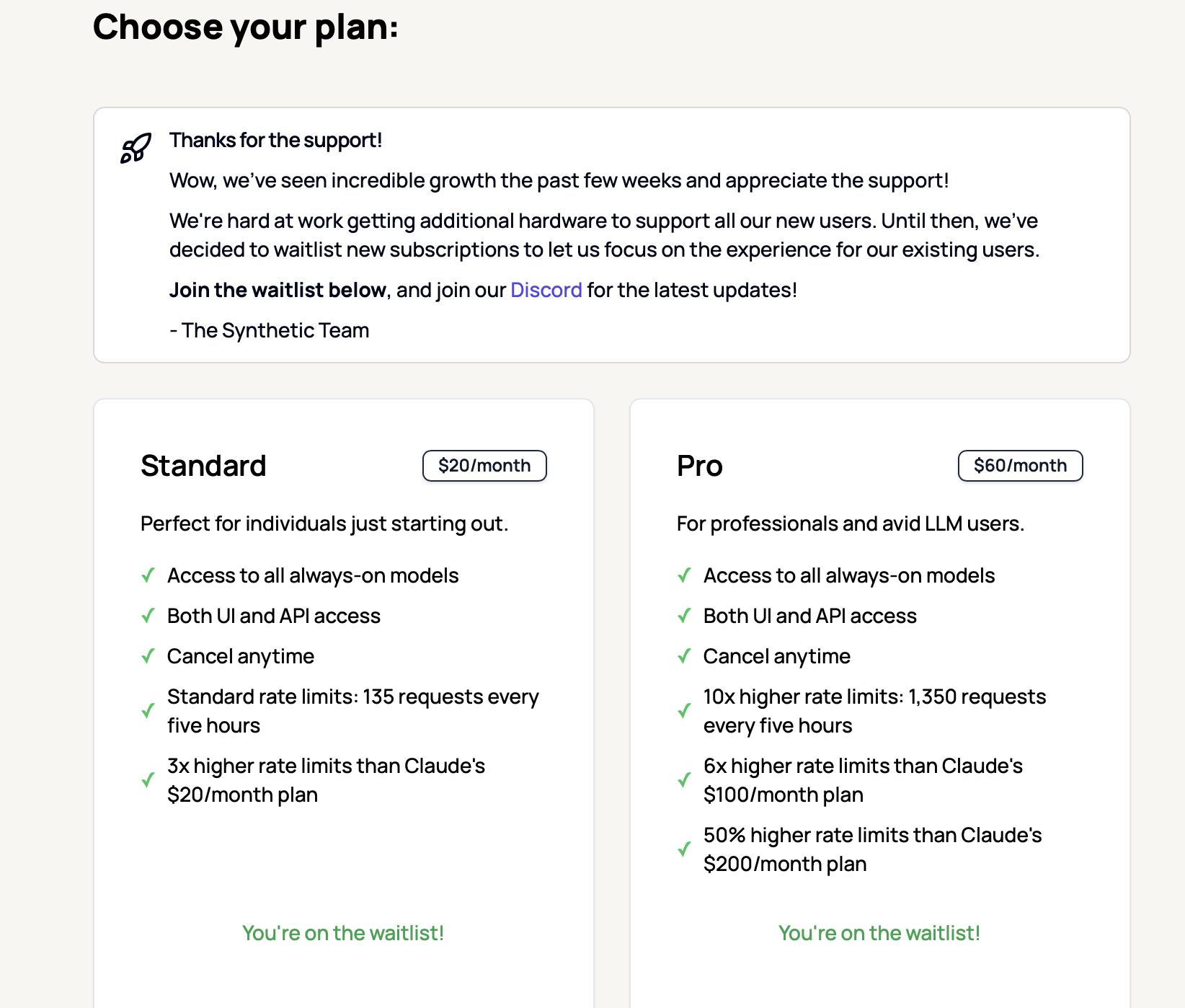
THE END
:facepalm:
Trying again
All-in with Openrouter.ai
Gemini led me to Openrouter.ai as another practical model provider for Openclaw.
I’ll say the auto model router feature is pretty cool. I burned about $14 worth of Tokens arguing with openclaw claw to get things setting properly including memory embedding, and the perplexity search capabilities in Openrouter. It also helped me get a slackbot integration configured properly.
All the AI kept trying to patch the config file with an imaginary --json argument. That took a while to unlearn.
There was also cruft in .openclaw/agents/main/agent/auth-profiles.json from
openclaw configure that I had to remove.
Anyway I’ll share a working config file for using Openrouter for LLM, embedding, and for search.
Note. I had to set API vars keys in ./openclaw/.env that was the sanest way to
do it. Amusingly even tho I was using Openrouter for everything… I had to set
an anthropic and openapi key as well just for some of the things to work
correctly through open router. That’s not a great explanation…. but it’s a
breadcrumb for ya!
.openclaw/.env file
OPENAI_API_KEY=YOUR_OPEN_ROUTER_KEY
OPENAI_API_BASE=https://openrouter.ai/api/v1
OPENROUTER_API_KEY=YOUR_OPEN_ROUTER_KEY
ANTHROPIC_API_KEY=YOUR_OPEN_ROUTER_KEY
.openclaw/openclaw.json config. There’s cruft, but hopefully helpful. BTW I
got burned pulling json snippets from Openclaw’s documentation website, because
their documentation syntax formatting for json removes the quotes making it
invalid json you can’t paste…. yet again.. Thanks gemini
{
  "meta": {
    "lastTouchedVersion": "2026.2.6-3",
    "lastTouchedAt": "2026-02-08T22:08:22.838Z"
  },
  "wizard": {
    "lastRunAt": "2026-02-08T18:05:00.747Z",
    "lastRunVersion": "2026.2.6-3",
    "lastRunCommand": "configure",
    "lastRunMode": "local"
  },
  "auth": {
    "profiles": {
      "openrouter:default": {
        "provider": "openrouter",
        "mode": "api_key"
      }
    }
  },
  "models": {
    "providers": {
      "openrouter": {
        "baseUrl": "https://openrouter.ai/api/v1",
        "apiKey": "YOUR_OPEN_ROUTER_KEY",
        "api": "openai-responses",
        "models": [
          {
            "id": "deepseek/deepseek-r1",
            "name": "DeepSeek R1",
            "reasoning": false,
            "input": ["text"],
            "cost": {
              "input": 0,
              "output": 0,
              "cacheRead": 0,
              "cacheWrite": 0
            },
            "contextWindow": 164000,
            "maxTokens": 8192
          },
          {
            "id": "meta-llama/llama-3.3-70b-instruct",
            "name": "Llama 3.3 70B",
            "reasoning": false,
            "input": ["text"],
            "cost": {
              "input": 0,
              "output": 0,
              "cacheRead": 0,
              "cacheWrite": 0
            },
            "contextWindow": 131072,
            "maxTokens": 8192
          },
          {
            "id": "google/gemini-2.0-flash-exp:free",
            "name": "Gemini 2.0 Flash (Free)",
            "reasoning": false,
            "input": ["text"],
            "cost": {
              "input": 0,
              "output": 0,
              "cacheRead": 0,
              "cacheWrite": 0
            },
            "contextWindow": 1048576,
            "maxTokens": 8192
          }
        ]
      }
    }
  },
  "agents": {
    "defaults": {
      "model": {
        "primary": "openrouter/auto",
        "fallbacks": [
          "openrouter/meta-llama/llama-3.3-70b-instruct",
          "openrouter/google/gemini-2.0-flash-exp:free"
        ]
      },
      "models": {
        "openrouter/auto": {
          "alias": "OpenRouter"
        }
      },
      "memorySearch": {
        "provider": "openai",
        "remote": {
          "baseUrl": "https://openrouter.ai/api/v1",
          "apiKey": "YOUR_OPEN_ROUTER_KEY"
        },
        "model": "text-embedding-3-small"
      },
      "compaction": {
        "mode": "safeguard"
      },
      "maxConcurrent": 4,
      "subagents": {
        "maxConcurrent": 8
      }
    }
  },
  "tools": {
    "web": {
      "search": {
        "enabled": true,
        "provider": "perplexity",
        "perplexity": {
          "model": "perplexity/sonar-pro"
        }
      }
    }
  },
  "messages": {
    "ackReactionScope": "group-mentions"
  },
  "commands": {
    "native": "auto",
    "nativeSkills": "auto"
  },
  "channels": {
    "slack": {
      "mode": "socket",
      "webhookPath": "/slack/events",
      "enabled": true,
      "botToken": "botToken",
      "appToken": "appToken",
      "userTokenReadOnly": true,
      "requireMention": true,
      "groupPolicy": "allowlist",
      "channels": {
        "SOMECHANNEL": {
          "enabled": true,
          "allow": true
        }
      }
    }
  },
  "gateway": {
    "port": 18789,
    "mode": "local",
    "bind": "lan",
    "auth": {
      "mode": "token",
      "token": "MYGATEWAYTOKEN"
    },
    "tailscale": {
      "mode": "off",
      "resetOnExit": false
    }
  },
  "plugins": {
    "entries": {
      "slack": {
        "enabled": true
      }
    }
  }
}
The Openclaw Gateway Dashboard
I feel a little silly, because for much of my experimentation I just had 2
terminals panes. One with openclaw tui and the other with
openclaw logs --follow. I should have gone through the effort to use the
dashboard sooner, but it was configured for localhost only, and I didn’t want to
port forward for some reason. I enabled it on the LAN, and then just ended up
reverse proxying as an ExternalService via an ingress on my kubernetes cluster.
It was pretty clean. I had a little trouble figuring out how to get the session
token going and validating my device from the cli, but afterwards.. the UI at
least seems cool. I didn’t try editing the configuration from it, but you can.
Using the chat was more pleasant from a rendering perspective.
Poke around the UI! You can see all the pieces…. then you can ask question.
Doing stuff
I yelled at it in slack and got the bot to do some simple python and bash scripts, Run docker containers. Search the web. It was okay. I just couldn’t get it to really do any long standing work in the background as I had sort of thought would happen. Background activities don’t seem to follow-up right now without continue a conversation.. I was hoping I’d see more automatic messages in slack that weren’t direct responses. It could be a configuration issue of course.
Cron jobs have the same thing… They don’t update me unless I ask about them.
Moltbook
I tried twice to join moltbook. Openclaw did an okay job and researching and trying to apply. Although the first time time I think it hallucinated instead of doing the actual work. The second time, I got an actual link and posted on Xitter….. BUT the verification didn’t work, so I’m not a able contribute to that waste of energy yet….. It’s funny tho… I was looking for things to for Openclaw to do.. and was struggling to find something simple…. Moltbook suddenly made sense.
Takeways
The real winner here is the basic “plus” tier of Google Gemini. It continues to be really good… It helped me solve configuration issues for openclaw, generate some k8s manifests I needed, and research all sorts of things–at a low cost.
To get real value out of openclaw I think I’d need to try a lot harder… BUT it seems like you also need to really double-down on it. Like the guy that used the $200/mo OpenAI package as the “best value.” I believe them to, but I’m not in the mood to go all-in on this. I can’t pay $200/mo to advance hobby/science projects… it doesn’t make sense. I’m better off just continuing to use the basic AI accelerators already available to me…. And maybe one day….. I won’t feel this existential pressure to do technology in a hurry, and I can just go slow again…maybe.
So I spent over half my weekend and $25 in tokens tinkering with this, and if I’m smart… I’ll shut down the VM and let a different tier of technologist play with it. Basically I setup a slack proxy to let an LLM agent run a docker container.
Maybe next weekend I’ll go in the garage.